
In this section, you’ll get a clear understanding of why using an app cloning tool is important, the different options available, and which version may make the most sense for your setup. One thing I do want to note is that this section was originally made before Nomix Cloner was released. At our agency, we are now primarily using Nomix Cloner and actively moving away from the older App Cloner variants we were previously using.
The main reason for this is that Nomix Cloner has an active development team behind the service. Whenever Instagram releases a new update, they typically follow up with a fix or adjustment shortly after. On the other hand, some older or unsupported App Cloner versions may still work, but there is no guarantee they will continue working long-term since there may not be an active developer maintaining them.
The point I am trying to make is this: if you can use Nomix Cloner, that would be our first recommendation. The second option would be to purchase App Cloner Ultra. The third option would be to use one of the older App Cloner variants only if the first two options are not something you are interested in.
Disclaimer: Keep in mind that some options may be free, but that does not always mean they will perform as well as the paid versions. Paid tools are usually backed by active development teams that keep the software updated, maintained, and functioning properly. So, if you decide to use a free or unsupported option, just understand that it may not work the same way as a paid tool, especially if it is not being actively maintained or updated.
What is an App Cloner?
Before I go over each cloner and rank them in order of priority, I want to first give a quick explanation of what an App Cloner is and why it plays such an important role in Instagram automation.
An App Cloner is an application that lets you duplicate any specific app so you can have multiple profiles logged in on a single device. For example, App Cloners allow you to clone an app as many times as your device’s storage can handle, giving you access to more profiles than the standard limit set by that app.
In our case, we’re cloning the Instagram application. You might wonder why, since Instagram already allows users to add up to 5–10 accounts per container. The reason many agencies use an App Cloner is to go beyond that limit while also creating completely separate data containers for each profile. This separation ensures that accounts don’t get linked or suspended together, keeping each profile fully isolated and safer to operate.
Ranking Each Cloner In Priority
#1: The Original App Cloner
As unreasonable as it may sound, the Original App Cloner is still the one we recommend for agencies that plan to safely and efficiently manage a large number of profiles through Instagram automation. Even though the original App Cloner is priced quite high, it remains the most stable and up-to-date option available for handling multiple Instagram containers and keeping profiles secure.
Here’s a quick walkthrough of what the process looks like when choosing the right package. I still suggest you explore all the available bundles yourself to see which one best fits your automation setup, the example below is just to give you an idea of how it works.
Step #1: For agencies managing 100+ devices, it’s best to use screen-sharing software that lets you view all your devices at once and perform bulk tasks across them efficiently. You can check out CrownScreens.com for this, it’s a good option for managing and monitoring multiple devices simultaneously.

From there, you would open each device, launch any internet browser, and go to the App Cloner website at https://appcloner.app/. Once on the site, simply download App Cloner onto each device and open the application.
After that, create a single account within the app. Once your account is set up, you can log in with the same credentials across all the other App Cloners installed on your remaining devices. This keeps everything under one account and makes it easier to manage your setup.
Payment BreakDown
The payment breakdown for the original App Cloner depends on two main factors, the number of devices you plan to run and the duration of the subscription you choose. With that in mind, let’s go through each of the available options in more detail.
Keep in mind, App Cloner can be used for many different purposes. However, if your main goal is Instagram automation, the setup we use, along with other partner agencies, is specifically designed for managing and running Instagram profiles efficiently.
#1: Purchase a Premium Subscription
To use App Cloner, you’ll need to purchase a Premium Subscription. This plan allows you to create up to 10 Instagram clones per device across a maximum of 5 devices. The 12-month subscription costs around $50 USD.

However, it’s important to note that this plan isn’t ideal for large-scale automation. Since it only supports 10 clones across 5 devices, it’s quite limited for our needs. That’s why, in the next step, I’ll go over the additional add-ons we’ll be including to make the cloner better suited for Instagram automation setups.
Step #2: Purchase Green Package
You’ll notice that under the “Packages” section, there are several different options available. For our purpose, you’ll want to select the Green Package, as this one unlocks the “Create a New Identity” feature. The Cost for the Green Package is a onetime payment of $65 USD.
The Identity option is essential because it lets us configure the right settings when cloning the Instagram container. This ensures that when we log into each profile, they stay completely separate and don’t get linked to one another.

Now that we’ve selected the Green Package, we can increase our clone count per device from 10 to 30. This is more than sufficient, as most agencies typically run between 8 to 24 Instagram clones per device. That range gives each profile enough time to perform actions safely within a 24-hour period.
Step #3: Increasing the App Cloner Device Limit
The one thing that still remains unchanged is the number of devices we can install App Cloner on. From Step 1, we already purchased the Premium Membership, which gives us access to use App Cloner on up to 5 devices with 10 clones per device.
Since we upgraded to the Green Package, we can now clone the Instagram app up to 30 times per device. However, to expand the number of devices we can use App Cloner on, we’ll need to purchase an additional add-on. This add-on increases the total device limit, allowing us to install and run App Cloner across more devices in our setup.
In this case, we will have the option to choose a monthly subscription between the device package we select. The package depends on the number of devices we have. Here is a screenshot of the package prices:

The monthly packages scale all the way up to 5,000 devices in case your setup grows beyond that point. Most of the larger agencies we work with typically go for the 100–300 device packages, since they’re running bigger operations.
For users who are just getting started, it’s best to begin with the 10–50 device add-on. This gives you enough room to expand your setup gradually without having to spend too much upfront in the beginning.
Summary:
App Cloner and its price points; even though there are some fixed one-time costs along with monthly fees (depending on the size of your automation setup), it’s important to understand that the official App Cloner is a premium application with a solid development team behind it. Their focus is on ensuring that profiles remain as safe as the backend mechanics allow.
That being said, there are many factors that contribute to overall account safety, which you can read more about in the Instagram Real Device Automation Guide. From a detection standpoint, App Cloner stands out as a premium, high-quality application that gives users confidence in knowing they’re using a secure and well-built product, as long as all other setup and safety steps on your end are followed correctly.
#2: App Cloner Cracked Version:
The next version I want to briefly talk about is the App Cloner Cracked Version. This version is essentially a duplicate of an older, outdated release of the original App Cloner. Because it’s outdated, many of the features may not function properly or as intended.
Another important point to note is that the Cracked App Cloner only works on Android versions 11 or lower. This means that if your device runs Android 12 or higher, the app will not download or open at all.
This detail is especially important if you plan on ordering phone boxes. You’ll need to make sure all the devices you purchase are locked to Android 11 or below so that they remain compatible with the cracked version, assuming you decide not to use the paid version of the original App Cloner.
For more details regarding phone boxes, you can refer to the section linked here, it covers everything you need to know, including setup, compatibility, and what to look for when selecting devices for your automation setup.
That being said, the Cracked App Cloner still serves its purpose by allowing you to efficiently download the cloner across all your devices and clone the Instagram app. We’ve used it in our setups, and it does what it’s meant to do.
Additionally, the download process is very straightforward, all you need to do is paste the download link into the device’s browser, and the app will download directly onto the device.

Once again, if you’re managing a large setup, it’s best to use a screen-casting software like CrownScreens to streamline the process. This allows you to efficiently handle installations and configurations across multiple devices at the same time. You can Read More About Installing the Cracked App Cloner in one of ToyBox’s Guides:
#3: Nomix Cloner
Nomix Cloner is what we are currently using, and this is the option I recommend choosing if you can. It costs $99 USD per month, and with that plan, you are able to create as many clones as you need. In addition, Nomix Cloner has an active development team behind it, which is important because tools like this need to stay updated whenever Instagram makes changes.
That being said, make sure to check out our Nomix Cloner section, where we walk you through how to clone apps, set everything up properly, and start creating clones so you can begin automating your profiles.
Follow Us
Make sure that you:
- Follow our Telegram Channel to stay updated regarding new guide releases and major updates
- Bookmark our website: ToyBox.Marketing so you can easily access all the guides, tools, and resources we publish
- Follow our Instagram to stay up to date with new projects, tools, and services we plan on releasing
Here are all the links, services, and resources I mentioned throughout this guide; you can simply use this area as a central place to access everything directly and explore each section on its own.
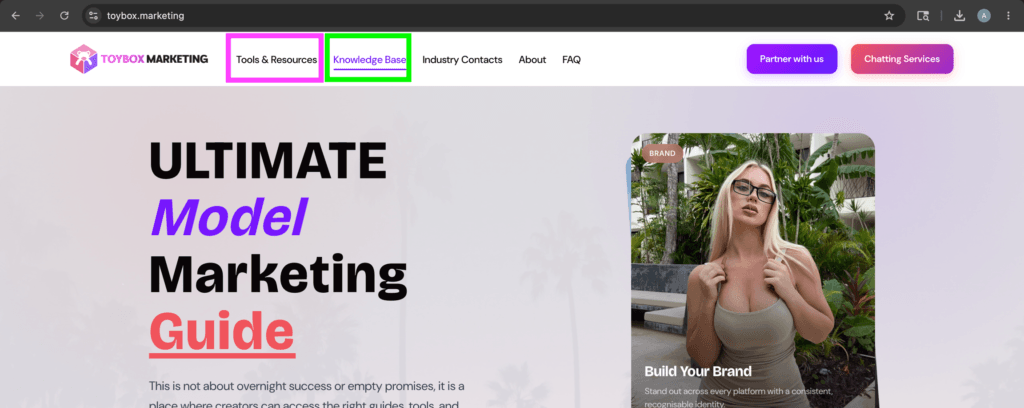
All of this information will also be available on our website, ToyBox.Marketing, inside the Knowledge Base section and the Tools & Resources section, where you’ll be able to access all of the links, guides, tutorials, and resources related to each topic all in one place
Main Guide Links and Resources
Ultimate Model Marketing Guide
This is an Instagram Automation Guide used by many of the top modeling agencies to promote their models…
Instagram Automation Software
Discount Code : ToyBox20
Instagram Account Supplier
Instagram Target Finder
Link-In-Bio Services
Discount Code : ToyBox10
Device Screen Mirroring Software
PhoneBox Supplier
Nomix Cloner
Proxy Equipment
Discount Code : TOYBOX10
Followers/Likes/Comment
Rental Proxies
OFM Jobs
Articles to Review and Read
Ultimate Instagram Automation Guide
This is an Instagram Automation Guide used by many of the top modeling agencies to promote their models…
Login & Warmup
This guide will walk you through step-by-step strategies for safely logging into Instagram accounts and properly warming them…
Setting up clones
This guide walks you through how to properly set up Instagram clones step-by-step. It is designed to help…
Profiling Accounts
This section is dedicated to actually “Profiling” the accounts and making them appear as natural as possible. This…
App Cloner Alternatives
In this section, you’ll get a clear understanding of why using an app cloning tool is important, the…
Proxies Section
Introduction In case you are here for the most optimal setup that most agencies use at this moment;…
Scraping Targets
Mass Targeting: In this section, I’m going to go over how you can use third-party tools to directly…
PhoneBoxes
Disclaimer: Before placing any orders from websites that sell PhoneBoxes, make sure that you do your own research…
Onimator Tutorial Section
In this section; I am going to add all relevant Onimator “Starting Up” Tutorials for you to reference.…
Recommended Proxy Setup
In this section; I am going to go over what I personally suggest you need right now in…